I’ve personally tested the viral 80s Prompt Look AI Photo Editing Trend Chatgpt & Gemini Ai to see if it actually delivers that nostalgic magic, and the text-to-image results are absolutely mind-blowing. After tweaking dozens of variations, I finally cracked the ultimate 1980s Photo Prompt that instantly generates authentic, neon-drenched retro masterpieces. Whether you crave faded polaroid vibes or synthwave aesthetics, this free copy-paste80s Prompt makes creating viral AI art completely effortless. Steal my tested aesthetic editing hacks below and watch your modern images instantly travel back in time! Check out 80s retro AI photo editing prompts for men
How to Get the Viral 80s Prompt Look with ChatGPT and Gemini AI
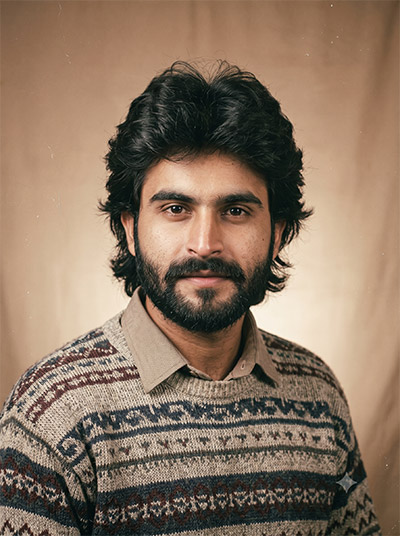
Want to transform your standard portrait into a vintage studio photo? Use this prompt technique in ChatGPT or Gemini AI to recreate classic patterned knitwear, feathered hair, and warm film texture while preserving your exact face. Try it on your photo today!
PROMPT
Transform my uploaded photo into a classic 1980s studio portrait. Keep my facial features, identity and natural expression recognisable. Give me an authentic 1980s hairstyle and outfit, with a simple studio backdrop and soft portrait lighting. Make the image look like it was photographed on an analogue film camera in the 1980s, with subtle film grain, slightly muted colours and natural imperfections. Avoid making it look like a modern digital photograph.3:4 Vertical
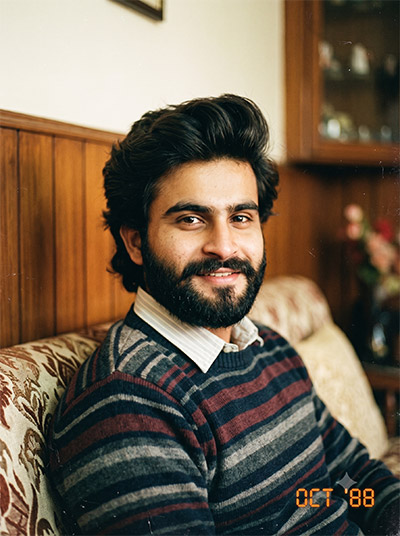
PROMPT
Turn my uploaded photo into a warm 1980s family album photograph. Keep my face and identity unchanged while giving me period-appropriate clothing, hairstyle and styling. Place me in a simple home setting with the feel of an ordinary family photograph from the decade. Use analogue film texture, slightly faded colours, natural lighting, mild grain and the imperfect quality of an old printed photograph. 3:4 Vertical
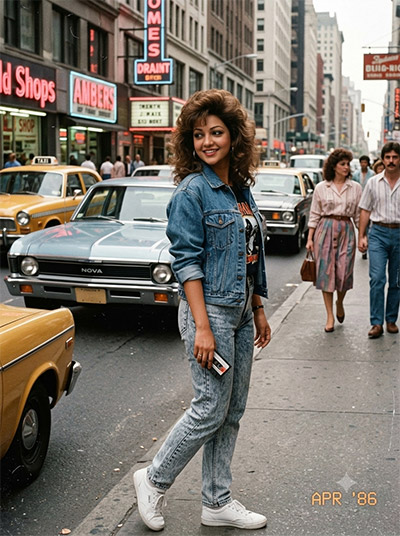
PROMPT
Recreate my uploaded photo as an authentic 1980s street-style photograph. Keep me recognisable and preserve my facial structure. Change my clothing and hairstyle to match 1980s fashion and place me on a lively urban street from that era. Use period-appropriate cars, shopfronts and surroundings in the background. Give the photograph analogue film grain, realistic shadows, slightly faded colours and the look of a candid photograph taken on an old film camera. 3:4 Vertical
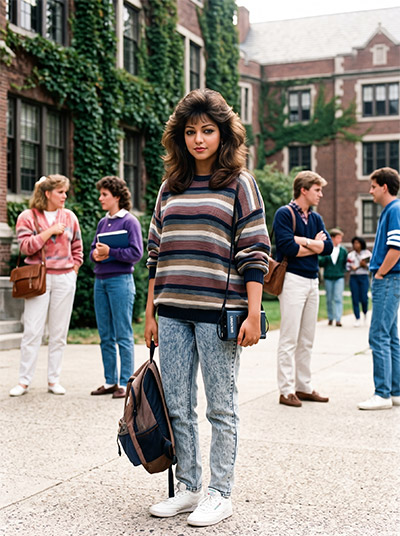
PROMPT
Transform my uploaded photo into an authentic 1980s college photograph. Keep my identity and facial features intact. Give me a hairstyle, outfit and accessories inspired by college fashion of the 1980s. Place me in a vintage college campus setting with period-appropriate architecture and details. Make the photograph feel candid and nostalgic, with analogue film grain, natural lighting and the slightly soft appearance of an old printed photograph. 3:4 Vertical
PROMPT
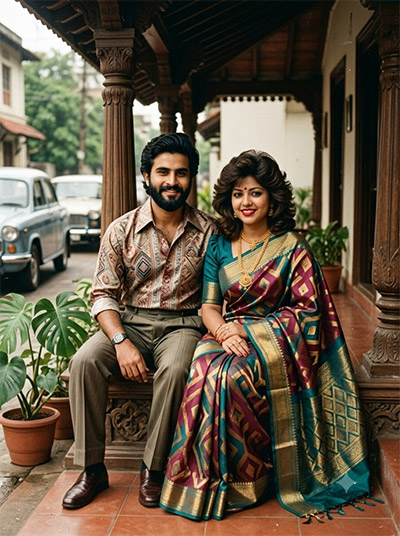
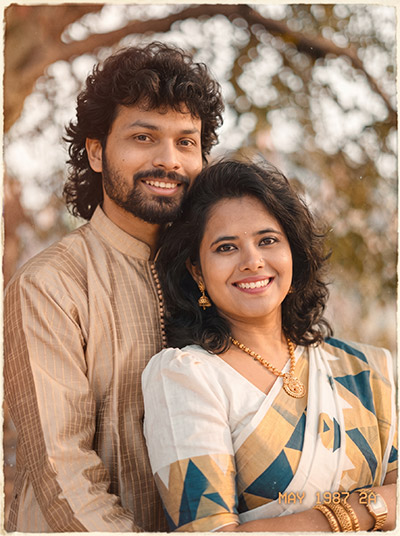
Turn my uploaded photograph into an authentic Indian 1980s portrait. Keep my face, identity and natural appearance recognisable. Change my clothing, hairstyle and styling to reflect the Indian fashion of the 1980s. Use a realistic Indian setting from that period and avoid modern objects or design elements. Give the image the appearance of an old analogue photograph with subtle grain, warm tones, natural shadows and slightly faded colours. 3:4 Vertical
PROMPT
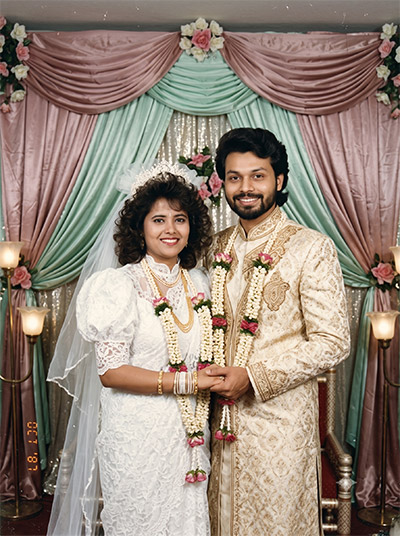
Transform my uploaded photo into a nostalgic 1980s wedding photograph. Keep my facial features and identity recognisable. Dress me in authentic wedding clothing and styling inspired by the 1980s, with period-appropriate hair and accessories. Create a traditional wedding setting with vintage decorations and analogue photography. Make it look like a real photograph from an old family album, with natural film grain, soft lighting and slightly faded colours. 3:4 Vertical
PROMPT
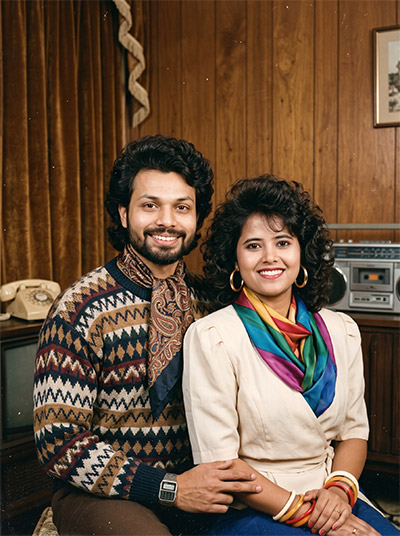
Transform my appearance into an authentic 1980s version of myself while keeping my facial features and identity recognizable. Give me an iconic 80s scarf, vintage clothing, retro accessories, and an authentic 1980s atmosphere. Make it look like a real photograph taken in the 1980s, with vintage film grain, natural lighting, realistic skin texture, and period-accurate colors Do not change my face or make me look like a different person. 3:4 Vertical
PROMPT
Transform my uploaded photo into an authentic 1980s retro look. Keep my exact face, facial features, skin tone, expression, body shape, and identity completely unchanged. Do not alter, replace, beautify, or distort my face. Add realistic 1980s hairstyle, vintage fashion, classic accessories, warm analog lighting, faded colors, subtle film grain, soft focus, natural shadows, and an authentic old-camera aesthetic. Make the image look like a genuine photograph taken in the 1980s, while preserving my original appearance accurately. 3:4 Vertical
PROMPT
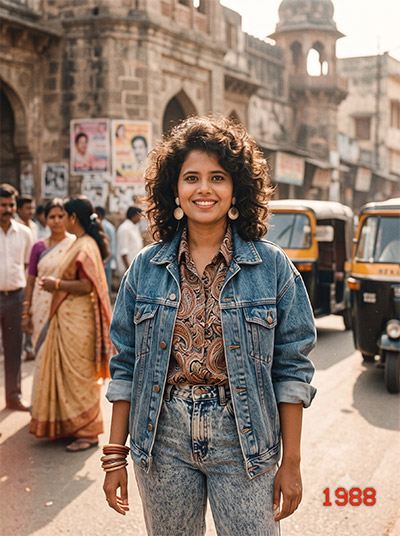
Use the uploaded photo and recreate the same person as if photographed in India in the late 1980s. Preserve the face, skin tone, body shape, smile and overall identity very accurately. Style them in a fashionable 80s outfit like high-waisted jeans, printed shirt/denim jacket, retro accessories and voluminous hair. Use a realistic Indian college/home/street background with warm faded film colors, grain, soft focus and a vintage 1988 photo feel 3:4 Vertical
PROMPT
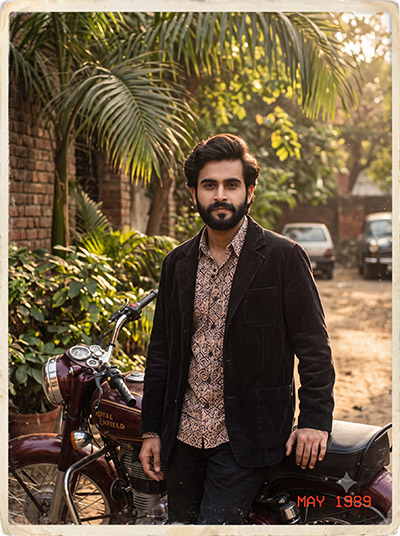
Transform my uploaded photo to recreate the same composition, pose, setting, clothing style, lighting and vintage aesthetic as the reference image. Keep the exact same person/people from my uploaded photo and preserve their facial identity and features. Do not replace or alter their faces. Use the reference only for the scene, styling and photographic look. Create an authentic late-1980s Indian photograph with period hairstyles, fashion, Royal Enfield Bullet, natural greenery, warm sunlight, analog film grain, faded colors and realistic vintage photography. Reference = style/composition; uploaded photo = identity”Note:-For an exact result like the photo I shared, take a screenshot of that photo and keep it as the reference image. Then upload the reference image along with your own photo and use the prompt. This will help the Al recreate the samecomposition nose setting, styling and vinta Go to source ping your face/identry om your uploadedphoto. 3:4 Vertical
💡 AI Photo Editing Pro Tips for Perfect Results
Keep Faces Consistent: If the AI changes the face, add this exact phrase to the very beginning of your prompt: “Preserve facial identity 100%, do not alter facial features or proportions.”
Reroll for Perfection: Run every prompt 2–3 times! The second or third generation is almost always sharper and packed with better details.
Get the DSLR Look: Want that beautiful, blurred background? Just add “f/1.8 shallow depth of field” to your prompt.
Control the Camera Shot: Tell the AI exactly what frame you want by adding terms like “Close-up portrait,” “Full-body shot,” or “Wide-angle view.”
Set the Vibe with Lighting: Lighting makes or breaks an AI image. Add “Cinematic lighting,” “Golden hour sunset,” or “Soft studio lighting” for a professional touch.
📐 Best Aspect Ratio: Use 3:4 Vertical for stunning, ready-to-post results on Instagram and Pinterest.
Transform my appearance into an authentic 1980s version of myself while keeping my facial features and identity recognizable. Give me an iconic 80s scarf, vintage clothing, retro accessories, and an authentic 1980s atmosphere. Make it look like a real photograph taken in the 1980s, with vintage film grain, natural lighting, realistic skin texture, and period-accurate colors Do not change my face or make me look like a different person. 3:4 Vertical
Indian
All is well
Transform my appearance into an authentic 1980s version of myself while keeping my facial features and identity recognizable. Give me an iconic 80s scarf, vintage clothing, retro accessories, and an authentic 1980s atmosphere. Make it look like a real photograph taken in the 1980s, with vintage film grain, natural lighting, realistic skin texture, and period-accurate colors Do not change my face or make me look like a different person. 3:4 Vertical