Looking to create the ultimate viral political meme poster on Instagram or TikTok? You are not alone—finding the exact Cockroach Janata Party Photo Editing Prompt to generate ultra-realistic 3D election banners can be frustrating when most AI text prompts yield messy results. Luckily, we have tested and curated the top 8 high-performing AI prompts for Bing Image Creator, Gemini, and Midjourney. Simply copy, paste, and add your name to create blockbuster-style Cockroach Janata Party (CJP) campaign visuals in under 60 seconds!
Design Viral Satirical Election Posters with Cockroach Janta Party Prompts
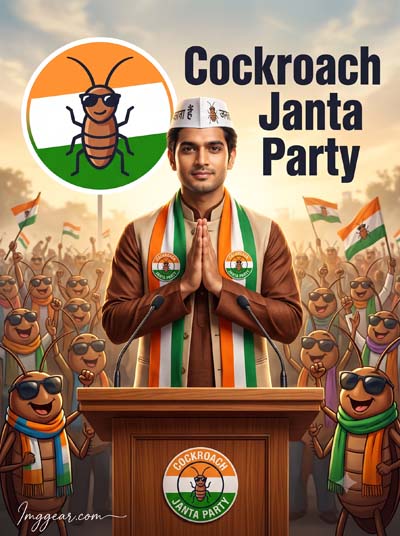
Step up your social media game with this hilarious viral Indian political campaign concept. Grab this simple text prompt to generate high quality cartoon style election posters for your own posts. Which custom name will you try first on the banner?
PROMPT
{
“prompt_version”: “1.0”,
“category”: “photorealistic_political_satire”,
“style”: {
“quality”: “12K”,
“aspect_ratio”: “3:4”,
“render_style”: “ultra-realistic”,
“genre”: “cinematic political satire”,
“lighting”: “dramatic golden-hour rally lighting with volumetric atmosphere”,
“camera”: {
“composition”: “poster-style vertical portrait”,
“lens”: “50mm”,
“depth_of_field”: “moderate”,
“sharpness”: “extreme facial and fabric detail”,
“dynamic_range”: “HDR”
}
},
“identity_preservation”: {
“reference_image_required”: true,
“face_match”: “100%”,
“preserve_face”: true,
“preserve_facial_proportions”: true,
“preserve_skin_texture”: true,
“preserve_original_contours”: true,
“preserve_expression_naturally”: true,
“allow_beautification”: false,
“allow_face_morphing”: false,
“allow_face_reshaping”: false,
“allow_stylization”: false
},
“scene”: {
“description”: “Ultra-realistic cinematic satirical political rally poster featuring a young Indian man standing behind a polished wooden podium, confidently delivering a speech with both hands joined in a traditional namaste gesture. His expression is calm, confident, and charismatic.”,
“wardrobe”: {
“kurta”: “rich brown traditional kurta”,
“jacket”: “beige Nehru jacket”,
“scarf”: {
“colors”: [
“orange”,
“white”,
“green”
],
“design”: “tricolor political scarf with fictional ‘Cockroach Janta Party’ badges”
},
“cap”: {
“color”: “white”,
“design”: “campaign-style cap featuring Hindi text and a stylized cartoon cockroach logo”
}
},
“podium”: {
“material”: “polished wood”,
“microphones”: 2,
“campaign_badge”: “fictional Cockroach Janta Party emblem”
},
“background”: {
“crowd”: “A massive enthusiastic crowd of anthropomorphic cartoon cockroaches wearing sunglasses and colorful fictional political scarves, cheering, waving fictional campaign flags, and celebrating in a humorous, clearly satirical atmosphere.”,
“emblem”: “Large circular campaign emblem featuring a stylized cartoon cockroach icon in orange, white, and green color bands inspired by the Indian tricolor without depicting or modifying the official national flag.”,
“typography”: “Bold fictional campaign-style poster typography reading ‘Cockroach Janta Party’ with no resemblance to any real political party branding.”
}
},
“mood”: [
“cinematic”,
“energetic”,
“grand scale”,
“satirical”,
“humorous”,
“fictional”
],
“color_palette”: {
“primary”: [
“orange”,
“white”,
“green”,
“brown”,
“beige”
],
“contrast”: “high”,
“grading”: “modern cinematic”
},
“watermark”: {
“text”: “Imggear.com”,
“position”: “bottom-left”,
“font_style”: “Petit Formal Script”,
“stroke”: “thin elegant cursive”,
“color”: “#FFFFFF”,
“opacity”: “slightly transparent”,
“letter_spacing”: “1px”,
“background”: “none”,
“blend”: “seamlessly integrated with the image”,
“appearance”: “minimal premium handwritten signature”
},
“negative_prompt”: [
“low resolution”,
“blur”,
“noise”,
“compression artifacts”,
“cropped face”,
“extra fingers”,
“duplicate people”,
“deformed anatomy”,
“incorrect facial identity”,
“face beautification”,
“face morphing”,
“oversaturated colors”,
“text distortion”,
“watermark errors”,
“poor lighting”,
“low detail”
]
}
Create Cinematic Political Posters Using CJP AI Photo Editing Prompts
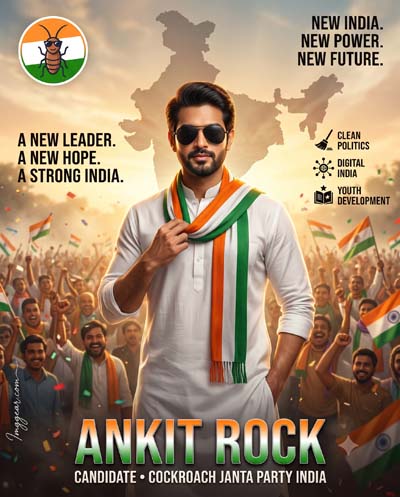
Master this viral election campaign look featuring bold text overlays, tricolor scarves, and realistic rally backgrounds. Recreate this stylized portrait by copying our text instructions right now!
3D Cockroach Janata Party Photo Editing Prompt Ideas for Trending Banners
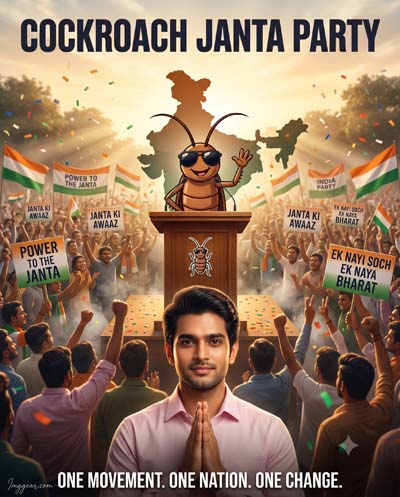
Tap into this hilarious meme style showing a crowd rally, backlighting, and customized placards. Crafting satirical political artwork has never been easier using this specific generation setup. Drop a comment below with your favorite political tagline!
Realistic Political Rally Images with Cockroach Janata Party Prompts
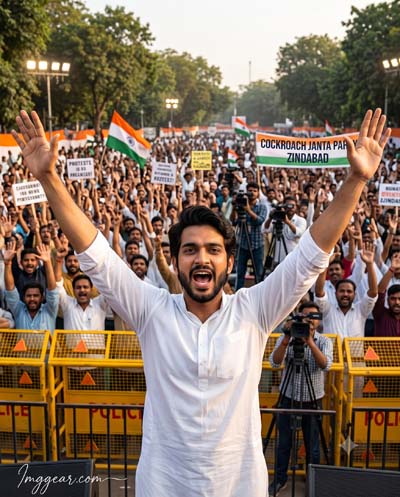
Capture intense real world energy showing a passionate leader cheering at a massive outdoor demonstration with police barricades. Generate this high emotion photo style using our exact text template immediately. Ready to make your next post go viral?
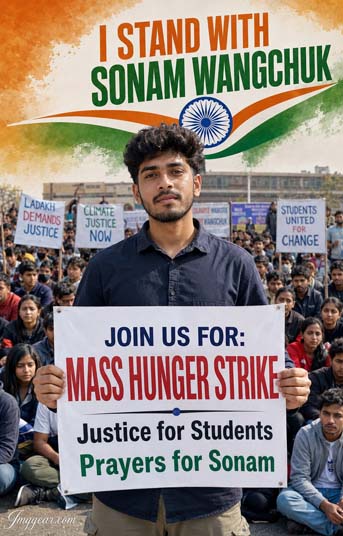
Student Protest Poster Generation with CJP Photo Editing AI Prompts
Produce dramatic activist campaign visuals showcasing youth sitting in demonstration while holding custom placards. Replicate this powerful protest banner graphic seamlessly with our free text setup today. Give it a shot and see how your version turns out!
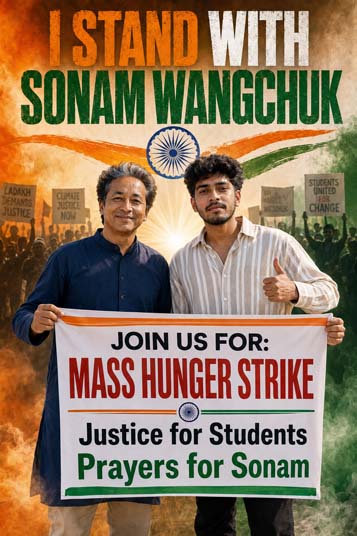
Powerful Activism Banners via Cockroach Janata Party Photo Editing Prompt
Build striking political protest graphics displaying two supporters holding campaign signs against a smokey Indian flag backdrop. Craft this exact gritty social movement photo style instantly using our free instructions. Download the template now!
PROMPT
{
“prompt_version”: “1.0”,
“category”: “photorealistic_editorial_awareness_poster”,
“output”: {
“resolution”: “12K”,
“aspect_ratio”: “2:3”,
“quality”: “Ultra”,
“style”: “Photorealistic editorial awareness poster”,
“render_engine”: “HDR”,
“color_grading”: “Premium cinematic”,
“sharpness”: “Ultra-sharp”,
“finishing”: “Magazine-quality”
},
“scene”: {
“composition”: “Balanced two-person vertical awareness poster”,
“left_subject”: {
“identity”: “Sonam Wangchuk”,
“pose”: “Standing confidently”,
“expression”: “Calm, friendly smile”,
“wardrobe”: {
“kurta”: “Navy blue traditional kurta”
},
“lighting”: “Natural soft daylight with cinematic rim lighting”
},
“right_subject”: {
“description”: “Young Indian man with a natural appearance, neatly styled short black hair, light stubble, medium wheatish skin tone.”,
“expression”: “Confident smile looking directly at the camera”,
“pose”: {
“gesture”: “Thumbs-up with one hand”,
“other_hand”: “Holding the protest banner”
},
“wardrobe”: {
“shirt”: “Cream striped oversized shirt”,
“pants”: “Black trousers”,
“shoes”: “Clean white sneakers”
}
},
“interaction”: {
“banner”: “Both subjects hold the protest banner together.”
}
},
“poster_design”: {
“headline”: {
“text”: “I STAND WITH SONAM WANGCHUK”,
“placement”: “Top center”,
“font”: “Large distressed uppercase display font”,
“colors”: [
“saffron”,
“white”,
“green”
]
},
“decorative_elements”: {
“ashoka_chakra”: {
“placement”: “Below the headline”,
“style”: “Subtle patriotic graphic”
},
“brush_strokes”: {
“colors”: [
“saffron”,
“green”
],
“orientation”: “Horizontal”
}
},
“banner”: {
“background”: “White with saffron and green accents”,
“typography”: “Bold, clean, modern sans-serif”,
“text”: [
“JOIN US FOR: MASS HUNGER STRIKE”,
“Justice for Students”,
“Prayers for Sonam”
]
}
},
“background”: {
“theme”: “Indian tricolor-inspired textured patriotic design”,
“elements”: [
“Peaceful protest silhouettes holding placards”,
“Subtle faded Ashoka Chakra”,
“Patriotic smoke effects”,
“Volumetric light rays”,
“Soft atmospheric haze”,
“High-detail depth of field”
]
},
“lighting”: {
“style”: “Natural daylight”,
“effects”: [
“HDR”,
“cinematic volumetric lighting”,
“realistic shadows”,
“soft ambient fill”,
“warm rim light”
]
},
“camera”: {
“composition”: “Vertical editorial poster”,
“lens”: “50mm”,
“focus”: “Both subjects critically sharp”,
“depth_of_field”: “Professional shallow depth of field”
},
“negative_prompt”: [
“blurry”,
“low resolution”,
“distorted faces”,
“extra fingers”,
“bad anatomy”,
“cropped body”,
“duplicated people”,
“text glitches”,
“watermark”,
“logo”,
“oversaturated colors”,
“unrealistic lighting”,
“low-quality rendering”,
“artifacts”,
“deformed hands”,
“cartoon style”,
“CGI look”,
“plastic skin”,
“noisy image”,
“motion blur”,
“poor typography”,
“incorrect flag colors”
]
}
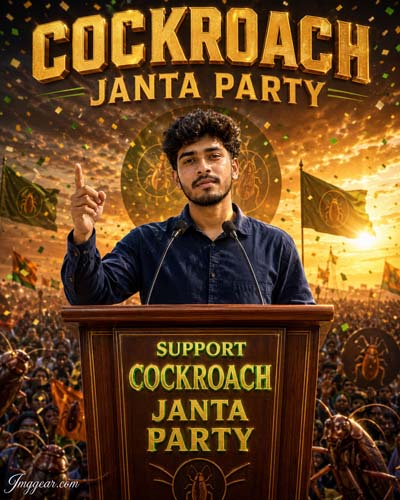
Golden 3D Text Meme Poster via Cockroach Janata Party Photo Editing Prompt
Elevate your content with a cinematic podium address scene featuring metallic typography, flying confetti, and golden sunset lighting. Replicate this epic leader portrait using our copy paste prompt preset. Who in your group needs to see this creation?
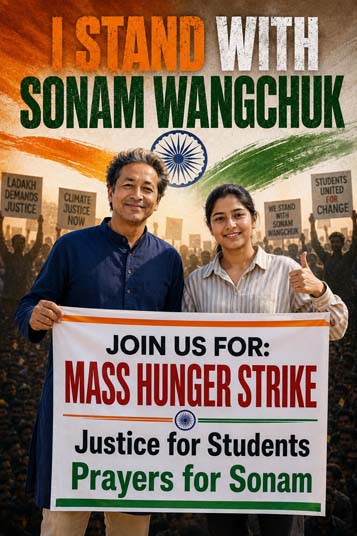
Generate Social Justice Rally Posters via Cockroach Janata Party Photo Editing Prompt
Design inspiring hunger strike demonstration graphics featuring female activists alongside supporters holding customized banners. Replicate this impactful political movement picture style seamlessly using our prompt guide. Bookmark this post so you do not lose it!
Keep Faces Consistent: If the AI changes the face, add this exact phrase to the very beginning of your prompt: “Preserve facial identity 100%, do not alter facial features or proportions.”
Reroll for Perfection: Run every prompt 2–3 times! The second or third generation is almost always sharper and packed with better details.
Get the DSLR Look: Want that beautiful, blurred background? Just add “f/1.8 shallow depth of field” to your prompt.
Control the Camera Shot: Tell the AI exactly what frame you want by adding terms like “Close-up portrait,” “Full-body shot,” or “Wide-angle view.”
Set the Vibe with Lighting: Lighting makes or breaks an AI image. Add “Cinematic lighting,” “Golden hour sunset,” or “Soft studio lighting” for a professional touch.
📐 Best Aspect Ratio: Use 3:4 Vertical for stunning, ready-to-post results on Instagram and Pinterest.