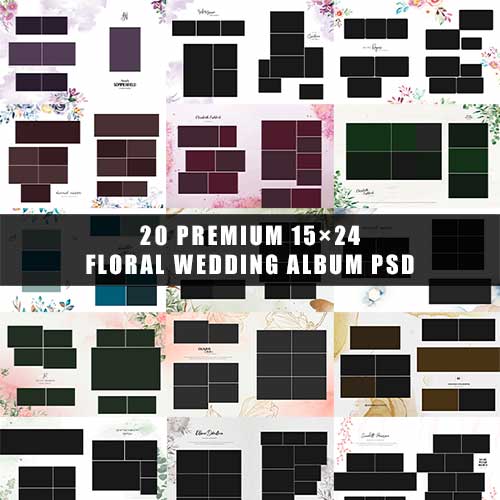

15×24 Wedding Album Design 2026 | 300 DPI Karizma PSD Sheets
Elevate your wedding photography workflow with this premium collection of 15×24 Wedding Album Designs. Specifically crafted for the 2026 season, these templates combine modern aesthetics with the classic Karizma style, ensuring your clients receive a timeless keepsake.
Detailed Description
This professional-grade bundle is designed for photographers and graphic designers who demand high-end results without the hours of manual layout work. Each sheet is meticulously organized to highlight the emotions of the big day, featuring clean typography, elegant masks, and contemporary design elements.
Format: Large Landscape (15×24 Inches)
Resolution: 300 DPI (Industry standard for crystal-clear printing)
Style: 2026 Modern Karizma / Cinematic Layouts
Customization: Fully editable Layers (PSD format)
Compatibility: Works with all versions of Adobe Photoshop
Whether you are designing a high-budget cinematic wedding album or a traditional family heirloom, these sheets provide the perfect balance of white space and artistic flair.
Product Highlights
Crystal Clear Print Quality: At 300 DPI, every detail—from the lace on a bridal gown to the expressions of the guests—remains sharp.
Time-Saving Workflow: Skip the tedious process of creating grids. Simply drag and drop your photos into the pre-made smart objects.
Trendy 2026 Aesthetics: Features the latest design trends, including minimalist borders, soft gradients, and sophisticated color palettes.
Print-Ready: Sizes are calibrated for standard professional printing labs.
How to Use This Pack
Using these PSD sheets is straightforward, even for those with basic Photoshop skills:
Open the File: Launch Adobe Photoshop and open your desired 15×24 PSD sheet.
Select the Photo Layer: Locate the “Image Placeholder” or “Clip Mask” layer in the Layers Panel.
Insert Your Image: Go to
File > Place Embeddedand select your high-resolution wedding photo.Create Clipping Mask: Right-click your photo layer and select “Create Clipping Mask” to snap it perfectly into the design frame.
Adjust & Save: Resize or reposition the photo using the Transform tool ($Ctrl+T$). Once satisfied, save your file as a High-Quality JPEG or TIFF for printing.


Reviews
There are no reviews yet.