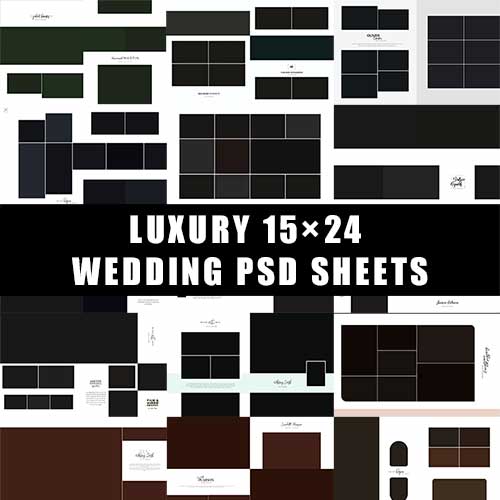

Creative Wedding Assets: 15×24 Indian Wedding Album PSD & Shadi Card Designs
Elevate your wedding photography and printing business with this professional-grade Creative Wedding Assets Bundle. This collection is meticulously crafted for designers and photographers who need high-quality, ready-to-print assets for traditional and modern Indian weddings.
Featuring the industry-standard 15×24 Karizma-style album sheets and elegant Shadi Card (Wedding Invitation) templates, this pack ensures your workflow is fast, efficient, and stunningly creative.
Detailed Product Description
This bundle is a comprehensive solution for wedding post-production. It includes a variety of layouts that capture the vibrant essence of Indian ceremonies—from Mehndi and Sangeet to the Phere and Vidaai.
15×24 Mega Sheets: Specifically designed for large-format wedding albums (Karizma/Canvera style). These spreads offer high-resolution layouts with perfect bleed margins for professional printing.
Premium Shadi Card Designs: A mix of traditional floral motifs and modern minimalist styles. Every invitation template is designed to make a lasting first impression.
Layered Flexibility: Every file is a fully editable PSD (Photoshop Document). All backgrounds, frames, light effects, and typography are on separate layers.
Print-Ready Quality: Created in 300 DPI (CMYK) to ensure that the final printed product is sharp, vivid, and color-accurate.
Key Features
High Resolution: Perfect for high-end wedding albums without any pixelation.
Smart Object Integration: Easily drag and drop photos into pre-defined frames.
Customizable Typography: Change names, dates, and quotes using any font of your choice.
Modern Indian Aesthetics: Includes elements like Mandaps, Kalash, Peacocks, and premium Golden textures.
Versatile Use: Ideal for studio owners, freelance graphic designers, and digital invitation creators.
How To Use (Step-by-Step)
Download & Extract: After purchasing, download the ZIP file and extract it to your preferred folder.
Open in Photoshop: Launch Adobe Photoshop (CS6 or higher recommended) and open the desired 15×24 PSD or Shadi Card file.
Insert Your Photos: * Locate the layer labeled “Your Image Here” or the “Smart Object” layer.
Double-click the Smart Object thumbnail, drop your photo in, and hit Save.
Edit Text: Select the Type Tool (T) to click on any text layer (like the Bride and Groom’s names) to customize the details.
Adjust Layouts: Move frames or change background colors to match the wedding theme.
Export for Print: Once satisfied, go to File > Save As and select JPEG or PDF at maximum quality for printing.

Reviews
There are no reviews yet.