


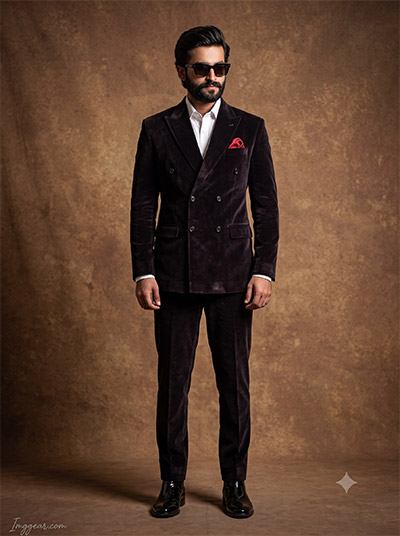

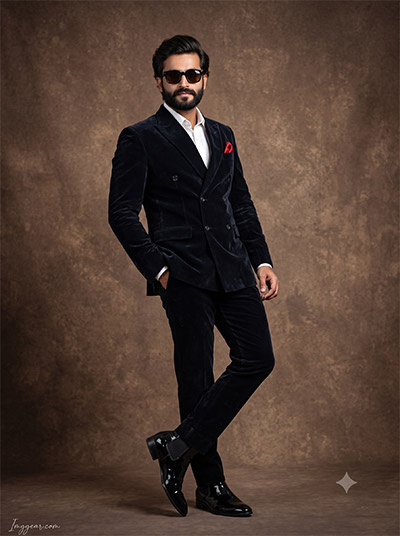
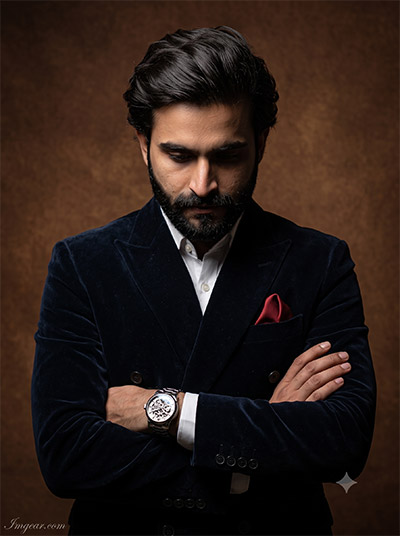


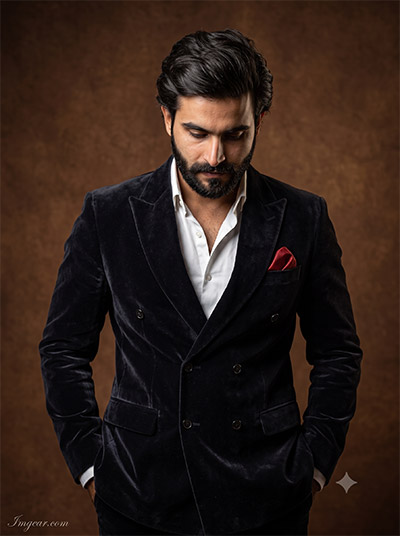










These images feature a sophisticated, ultra-realistic aesthetic with dramatic, soft-box studio lighting. The rich, deep navy blue of the velvet suit pops against the heavily textured, warm brown canvas backdrop. Every detail, from the crisp white shirt to the subtle skin texture and catching highlights in the eyes, screams premium editorial photography.
Why You’ll Love This Prompt
You’re going to love how reliable this is. Instead of rolling the dice and hoping for a usable image, this prompt delivers consistent, editorial-grade portraits every single time. It’s incredibly easy to customize—just swap out the subject or clothing variables—and you’ll have a cohesive gallery of professional images in minutes.
Perfect Use Cases
Men’s Fashion & Apparel Brands: Showcase suits, watches, and accessories with high-end editorial flair.
Corporate Web Design: Create consistent, polished team headshots without booking a photographer.
Advertising & Marketing Agencies: Generate premium lifestyle imagery for client campaigns instantly.
Social Media Influencers: Maintain a sleek, professional aesthetic across your feed.
Stock Photography Creators: Capitalize on the Gemini AI Prompt Trending wave by producing highly sought-after professional portraits.
How to Use It (Step-by-Step)
Copy and Paste: Grab the exact prompt text provided in your download file and paste it directly into Gemini.
Swap the Variables: Look for the bracketed keywords (like
[navy velvet suit]or[South Asian male]) and replace them with your specific subject and styling needs.Generate and Refine: Hit enter. If you want a slightly different mood, easily adjust the color keywords to match your exact vision.
Expert Pro Tips
Tip 1 (Face/Subject): To keep the facial features consistent across multiple generations, use a specific mix of descriptive features (e.g., “defined jawline, neatly trimmed dark beard, deep-set brown eyes”) instead of just using generic demographic terms.
Tip 2 (Texture/Details): The velvet in these samples looks real because of specific lighting interaction. When changing outfits, use precise material terms like “crushed velvet,” “matte wool,” or “crisp cotton” so the AI accurately renders how light falls on the clothing.
Tip 3 (Camera/Lighting): To avoid that overly smooth, artificial look, the prompt relies on specific photography terminology. Keep terms like “85mm portrait lens,” “Rembrandt lighting,” “softbox,” and “subtle skin texture” to maintain the photorealistic, tactile feel of a high-end shoot.
Tip 4 (Aspect Ratio): The 3:4 or 4:5 aspect ratio used in these samples is perfect for Instagram portraits, Pinterest pins, and e-commerce product pages. If you need a wider shot for a website hero banner, simply instruct the AI to generate the image in a 16:9 format.
Essential FAQ
Commercial Rights: Can I sell the images generated? Yes! Once you generate the images using this prompt, you own the output and can use them for commercial projects, client work, or print-on-demand.
Customization: Is it easy to change the subject/colors without breaking the prompt? Absolutely. The prompt is structured with clear variables so you can easily change the suit color, the background texture, or the model’s appearance while keeping the premium studio lighting perfectly intact.
Consistency: Will I get results similar to the sample images? Yes. The core structure locks in the lighting, camera angles, and textures, ensuring you get that same high-end, editorial feel every time you use it.
Software Requirements: Do I need a paid subscription to the AI tool? No, you can use this prompt with the free version of Gemini, though Gemini Advanced may provide even sharper detail and nuanced textures.
Beginner Friendly: Do I need prior AI or coding experience to use this? Not at all. If you can copy, paste, and type a few words, you can use this prompt. It’s designed to be completely plug-and-play for total beginners.
Delivery & Support: How do I receive the prompt and what if I need help? You will receive instant access to a digital download file containing the prompt and instructions immediately after purchase. If you get stuck, our support team is just an email away.


Reviews
There are no reviews yet.