Creating a wedding album that stands out requires more than just great photos; it requires a cover that makes a statement. For professional photographers and graphic designers, mastering Wedding Album Cover Design PSD customization is the key to delivering a premium product. Whether you are working on a traditional Karizma Album Cover Page Design PSD or a modern Canvera Album Cover Design PSD, the cover pad is the first thing a couple sees—and it needs to be perfect.
In this guide, we will dive into the best strategies for customizing your templates, focusing on high-quality 12×18 Album Design and the ever-popular 12×36 Album Cover Design formats.
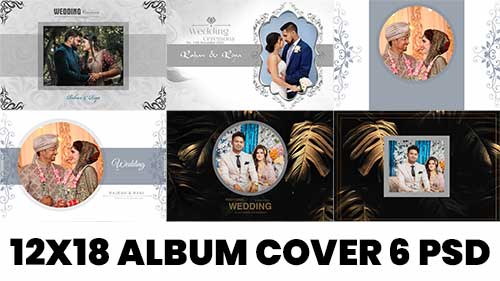
⇓ 12X18 PREMIUM ALBUM PSD ⇓
⇣ DOWNLOAD NOW ⇣
Understanding the Importance of Cover Pad Design
The cover pad is the thick, protective exterior of the wedding album. Unlike internal sheets, the cover often involves different materials like leather, acrylic, or velvet. When using a 12×36 Album Cover Pad PSD, you must account for the wrap-around area (the spine and the back) to ensure no critical design elements are cut off during the binding process.
1. Choose the Right Dimensions: 12×18 vs. 12×36
Depending on the printing lab and the style of the album, you will likely work with two primary sizes:
- 12×18 Wedding Album PSD: Ideal for portrait-style or smaller upright albums. This size is classic and easy for clients to handle.
- 12×36 Album Cover PSD Free Download 2022: This is the industry standard for landscape “flush mount” albums. A 12×36 Wedding Album Cover Page allows for a seamless flow from the front cover, across the spine, to the back.
2. Prioritize High-Resolution Assets
When customizing your New Album Cover Design 12×36 PSD Sheets Free Download, ensure your central image is of the highest quality. Since the cover pad is often larger than internal pages, any pixelation will be immediately visible. Always work in 300 DPI to maintain crispness, especially for an Indian Wedding Album Cover Design PSD where intricate jewelry and fabric details are focal points.
3. Mastering the Layout for Impact
A great Wedding Album Cover Design PSD should follow the “less is more” rule.
- The Focal Point: Place the most emotional or cinematic shot on the right side (front cover).
- Negative Space: Don’t crowd the design. Use 12×18 Album Sheet PSD Free Download layouts that provide breathing room around the couple’s names or the wedding date.
- The Spine: If you are using a 12×36 PSD Wedding Album Cover Page Design, remember to leave a 1-to-2-inch gap in the center for the spine crease.
Top Tips for Wedding Album Cover Pad Design PSD Customization
4. Customizing Text and Typography
Typography can make or break an Engagement Album Cover Page Design PSD. Use elegant serif fonts for a traditional look or clean sans-serif fonts for a modern vibe. If you are using a 12×18 Cover Page PSD, ensure the text is centered and high-contrast against the background image. Many 12×18 Album Cover Page PSD Free Download files come with editable text layers—take advantage of these to match the wedding’s specific theme.
5. Incorporating Cultural Elements
For an Indian Wedding Album Cover Design PSD, gold foils, floral mandalas, and deep jewel tones (maroon, emerald, navy) are trending. If you are looking at 15 Latest Wedding Album 12×18 PSD Cover Design trends, you’ll see a shift toward minimalist covers with a single gold-embossed “Wedding” title or a small acrylic window showing the couple.
6. Utilizing Professional Templates
Don’t reinvent the wheel every time. Using a Free PSD 360 12×36 Cover or a 12×36 Album Cover Page PSD Free Download provides a solid foundation. These templates already have the correct margins and bleed lines. You can find high-quality 12×18 Album Design PSD Free Download resources that allow you to swap backgrounds, adjust color grading, and add textures like leather or linen effects digitally before printing.